
Florence County Timmonsville Ticket Warrants
Timmonsville Municipal Court usually meets on the first Friday of the month, but its city page advises calling 843-346-7942 to verify the date. The state directory lists a different address and number, so use the current city contact and confirm before traveling. The town’s court page links a payment vendor, but it does not expose a full warrant-status search.
A city citation starts with the municipal clerk; a county or Highway Patrol ticket may go to Timmonsville Magistrate at 109 E. Smith Street, 843-346-7472. Ask which court owns the ticket before paying.
How Traffic Warrants Work in Florence County
South Carolina traffic matters start with a citation or summons that names the court, date, offense, and payment or appearance instructions. If a person does not pay, post bond, or appear, the issuing court may record an FTA and take further process. The local label may be bench warrant, capias, or capias pro fine. Ask the clerk which one applies.
Florence County tickets do not all go to one desk. A Florence city citation begins with Municipal Court; a sheriff or Highway Patrol ticket may route to Florence Magistrate. The issuing court controls the remedy.
Florence County Citation to Capias
The chain is ticket, due date or hearing, possible FTA, then additional court process. “Capias pro fine” is a useful lower-court label for a process linked to an unpaid fine or unsatisfied judgment. It does not tell you the current amount or whether payment alone releases the order.
Florence County has no uniform countywide payment plan or warrant-lift fee located in the reviewed sources. Ask the clerk to separate the fine, court costs, bond, and any purge amount. The court may require a new date or judge’s order even when a vendor accepts payment.
Florence County Traffic Warrant Checks
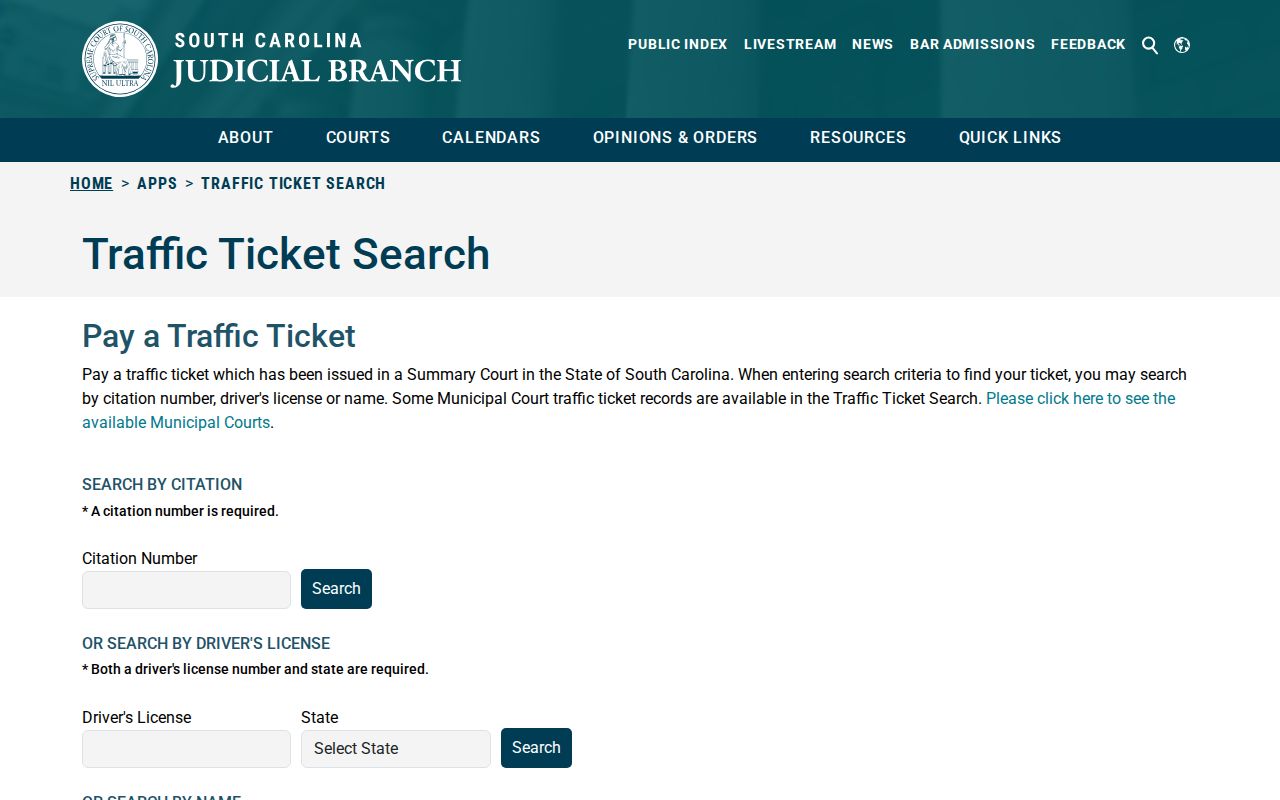
The state Traffic Ticket Search accepts a citation number, driver’s license plus state, or first name, last name, and date of birth. It covers participating courts only. The inspected municipal help list did not include Florence’s city court, so a missing ticket should send the reader to the municipal clerk or the city’s recommended payment channel. A ticket search is not a live warrant check.
- Use the state search by citation, license and state, or name and DOB.
- Call the issuing city or magistrate clerk if the ticket does not appear.
- For a Florence city ticket, call Municipal Court at 843-665-3148.
- For sheriff or Highway Patrol tickets, ask Florence Magistrate at 843-665-0031.
- Use FCSO at 843-665-2121 for county warrant routing, not as a ticket search.
Florence County Ticket Warrant Routing
The Florence Municipal Court page gives a useful local split: city police and city-ordinance tickets go to City Court, while sheriff and Highway Patrol tickets route to Florence County Magistrate. Inmate booking questions route to FCSO. A reader who pays at the wrong court may settle a different matter and leave the citation’s FTA unresolved.
Some official listings give nearby but different magistrate locations. The city page points to 184 N. Irby Street, while the Judicial Branch lists Magistrate/Bond Court functions around 120 Courthouse Square. Call first and follow the issuing clerk’s current directions.
Traffic Warrants: What They Show
The ticket and court file may identify the citation, court, missed date, offense, amount due, and current action. The state tool is a citation search; it does not expose every warrant field. Florence County’s public sheriff roster has no published traffic-specific filter or warrant-number format.
| Citation or case number | COURT-YEAR-SEQUENCE Schematic only; no Florence format was published. |
|---|---|
| Offense | Use the citation or court file; a public card may omit it. |
| Issuing court | Names the municipal or magistrate clerk with control of the case. |
| Amount due | Ask the clerk to separate fine, cost, bond, and purge amount. |
| Status | Confirm unpaid, FTA, served, recalled, or cleared with the court. |
Florence County State Traffic Warrant Search
The state tool has three modes, each with required inputs. Its help file lists participating municipal courts, and participation is limited. Florence city matters were not on the list reviewed. New tickets can take three to five business days to post, so a blank result may only mean the case is not yet in that search.
| Search mode | Required fields | What it finds |
|---|---|---|
| Citation | Citation number | Ticket record in a participating court |
| Driver license | License and state | Ticket record linked to those details |
| Name | First, last, and DOB | Ticket record in a participating court |
Use the South Carolina ticket search for citations, then call the local clerk for warrant status.
It is not a statewide warrant database.
Clearing a Florence County Traffic Warrant
Call the issuing clerk before paying. Ask whether the case is simply unpaid, already in FTA status, or subject to bench-warrant or capias process. Then confirm the current balance, accepted method, appearance requirement, and whether a payment plan is available. A vendor button is a payment channel, not proof that the court has released an FTA.
- Ask the clerk for the amount and whether payment alone will address the FTA.
- Use the court’s accepted payment method or request a new appearance date.
- Ask whether counsel can arrange a walk-through or a motion to recall.
- Keep proof and ask when the court reports compliance to other systems.
Warning: Do not treat payment confirmation as a warrant release; wait for the issuing clerk to confirm the court status and any next date.
Florence County Warrant Payment Checks
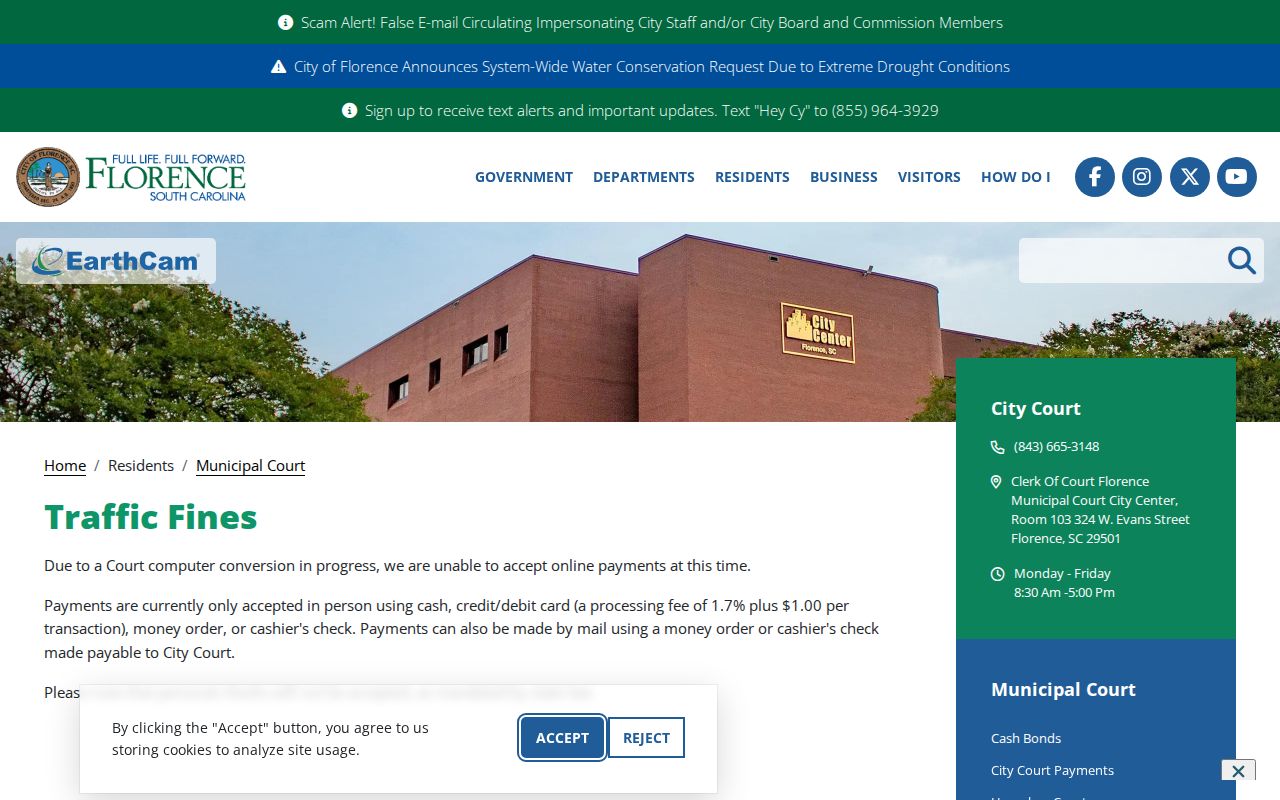
Florence Municipal Court lists cash, credit or debit with a 1.7% plus $1 processing fee, money order, and cashier’s check for traffic fines; personal checks are not accepted. An official city notice said online payment could be unavailable during a computer conversion, so verify current options with the clerk before sending money.
Even when a ticket is paid, ask the clerk whether the FTA or capias pro fine has been released and whether another hearing remains.
The city’s traffic-fines page lists its payment instructions.
Keep the receipt and confirm the court’s status separately.
How Traffic Warrants Trigger License Holds
A court warrant, an FTA entry, and a license-compliance action are related but separate. The South Carolina sources reviewed did not establish one Florence County OmniBase-style program, one statewide public warrant lookup, or one uniform fee. Ask the issuing court what it reported and what proof it will send after payment or a new appearance.
| Mechanism | What Triggers It | What It Does |
|---|---|---|
| Traffic warrant | Missed court date or unresolved citation | Allows enforcement under the court order |
| FTA | Did not attend a required setting | Can trigger separate court process |
| License compliance | Depends on court and state transmission | Ask the issuing office what it reported |